Vim Surround ✨

#Installation
-
Packer
use("tpope/vim-surround") -
Lazy
"tpope/vim-surround" -
Plug
Plug "tpope/vim-surround"
You can check the document details here: vim-surround
#Create Surround
-
ysiw"surround the word with" … "
e.g:hello_world→"hello_world"
-
ysiw'surround the word with' … '
e.g:hello_world→'hello_world'
-
ysiw<em>surround the word with'<em> … </em>'
e.g:hello_world→<em>hello_world</em>
-
ysiw)surround the word with'( … )'
e.g:hello_world→(hello_world).gif&w=3840&q=100)
-
ysiw]surround the word with'[ … ]'
e.g:hello_world→[hello_world]![ysiw]](/_next/image?url=%2Fimages%2Fysiw%5D.gif&w=3840&q=100)
note: this only applies to one word, if you want to surround more than one word, you can check the visual mode below.
#Change Surround
-
cs"'change" … "to' … '
e.g:"hello_world"→'hello_world'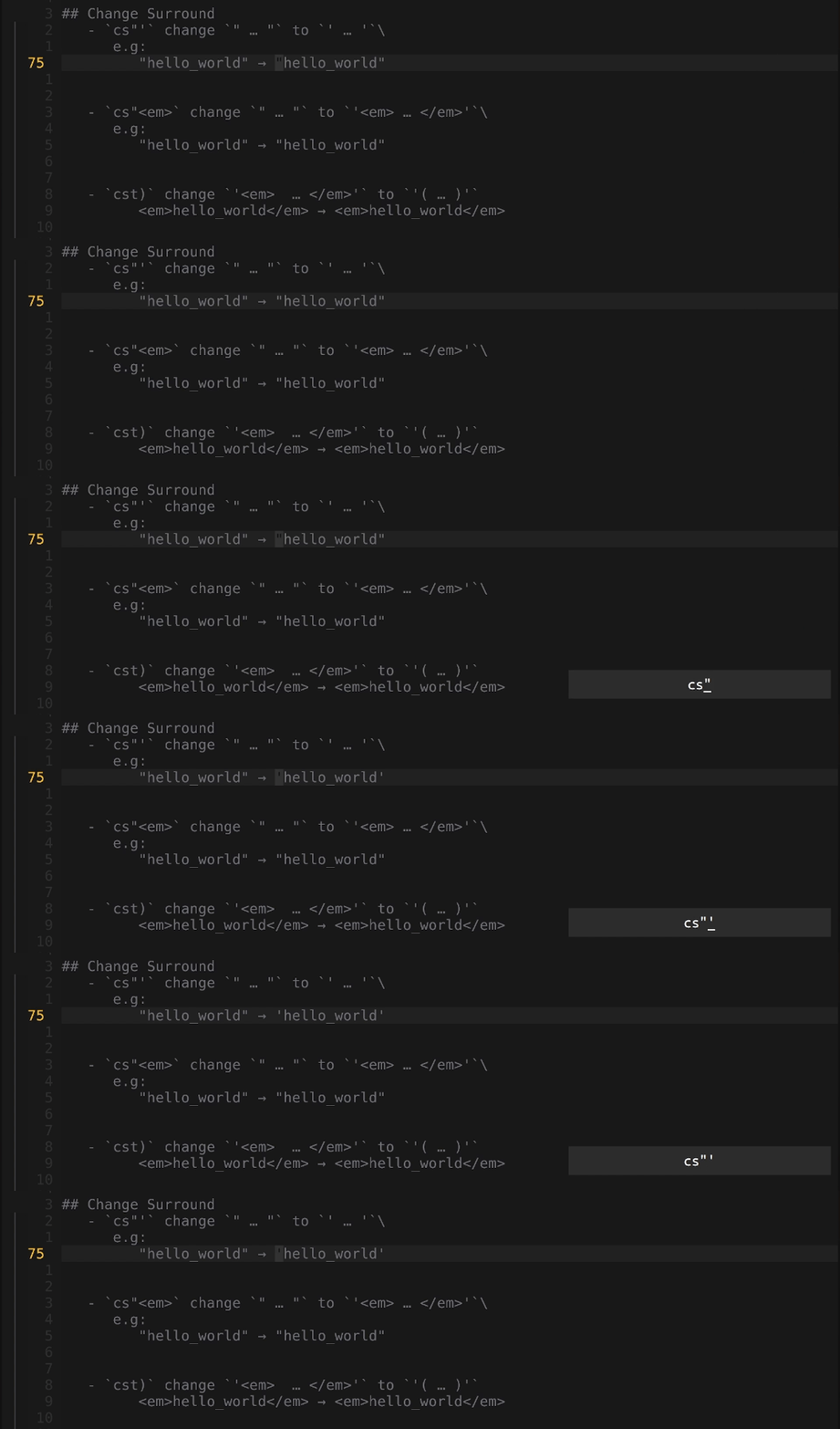
-
cs"<em>change" … "to'<em> … </em>'
e.g:"hello_world"→<em>hello_world</em>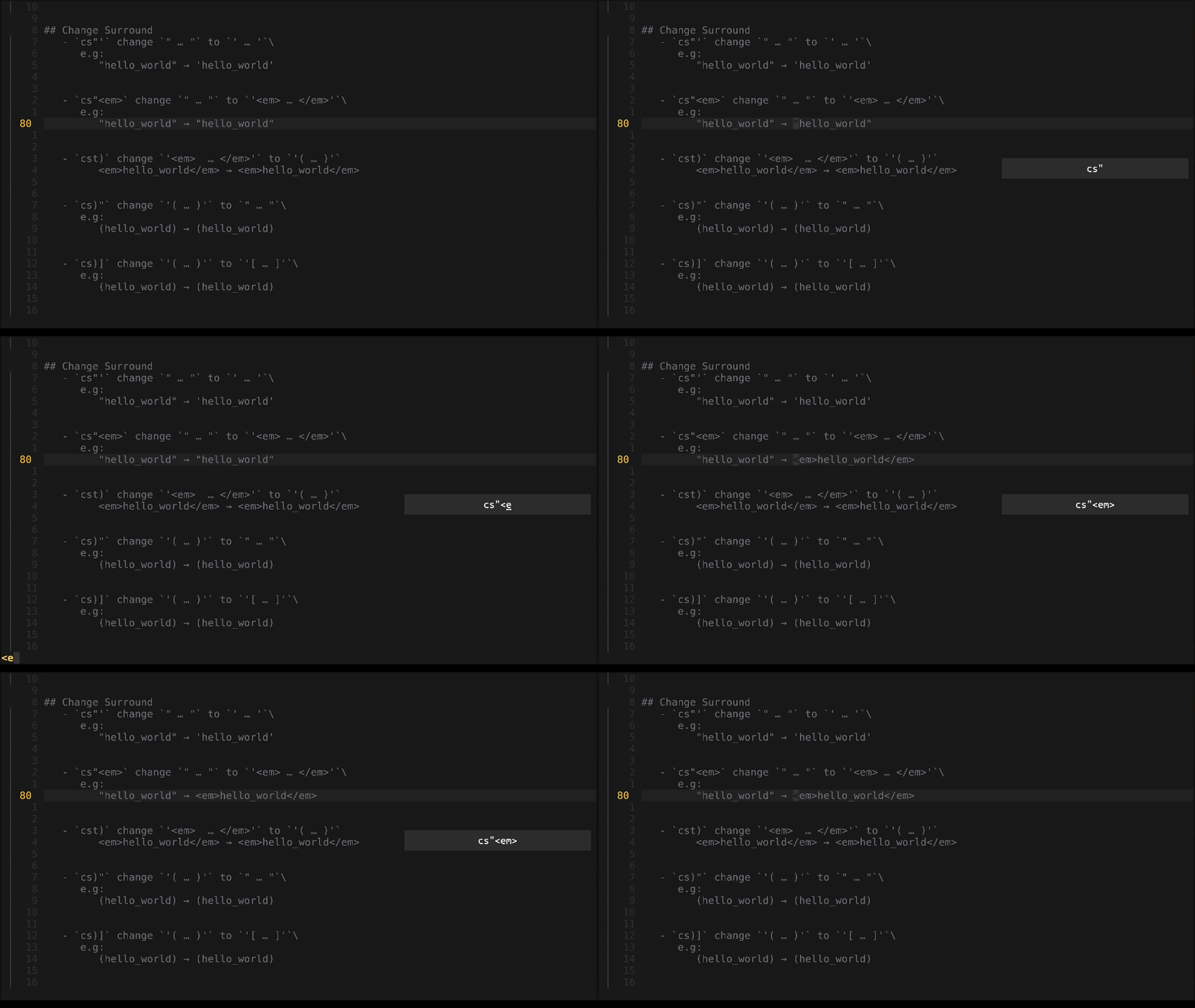
-
cst)change'<em> … </em>'to'( … )'
e.g:'<em>hello_world</em>'→(hello_world)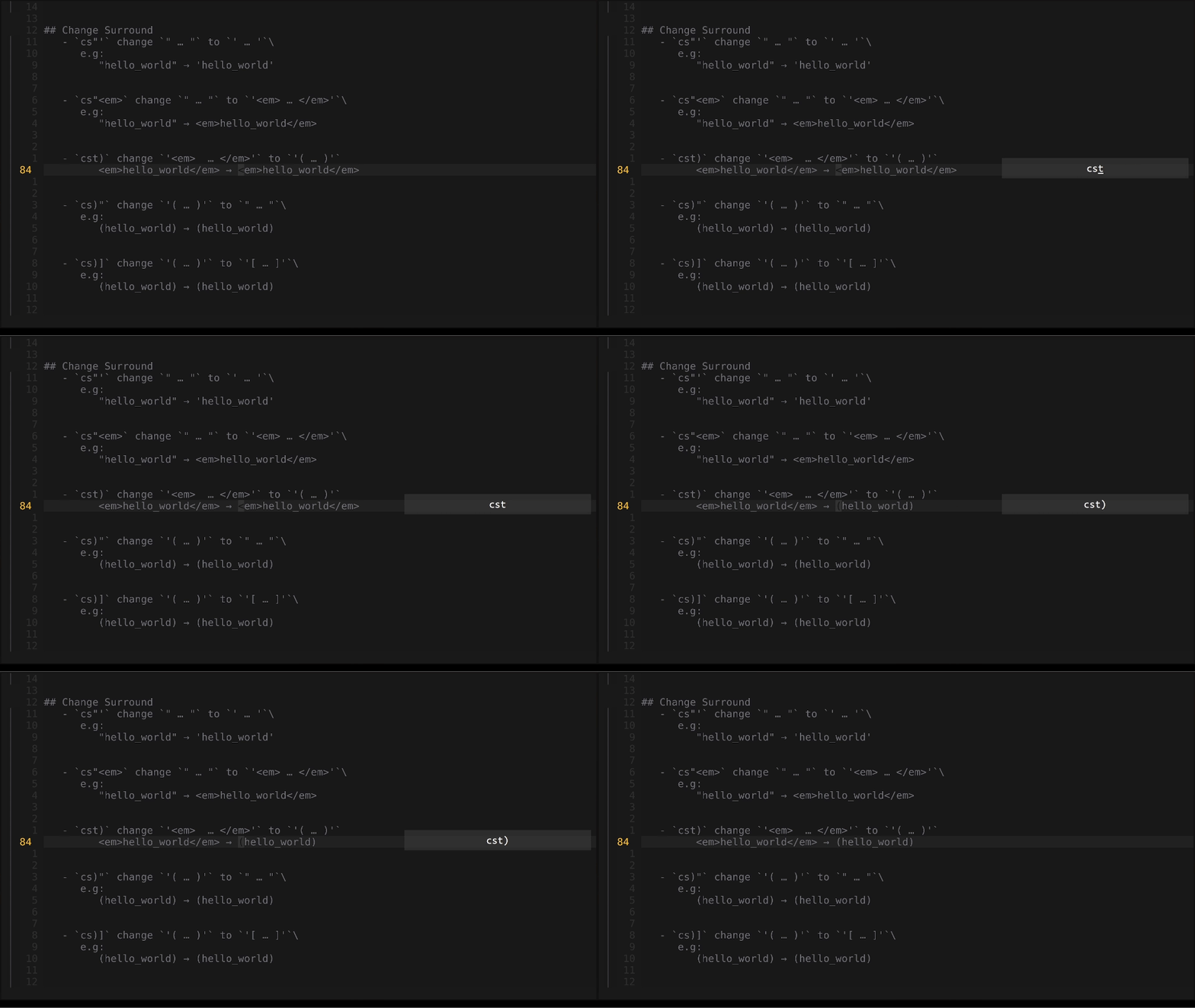
-
cs)"change'( … )'to" … "
e.g:(hello_world)→"hello_world"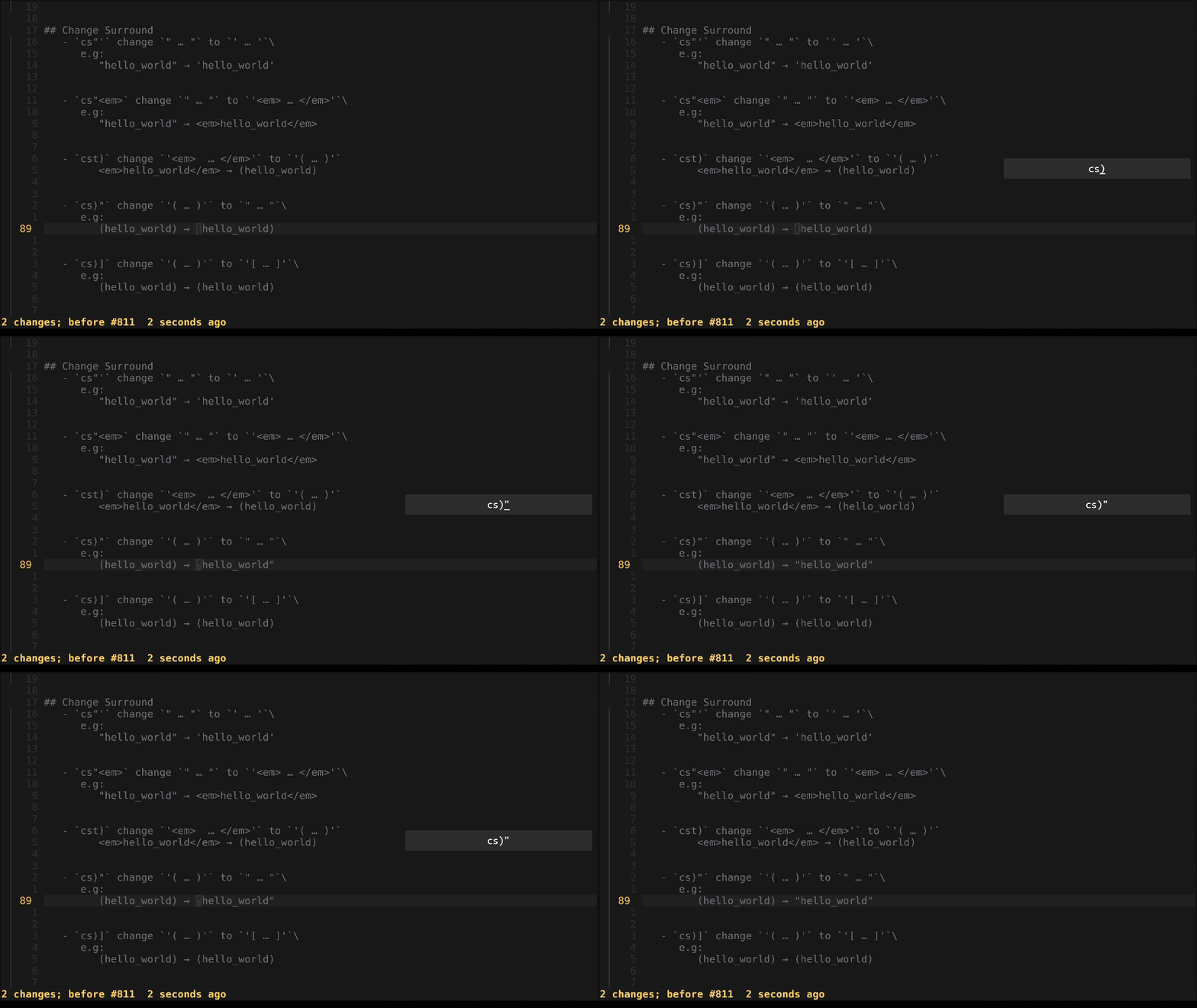
-
cs)]change'( … )'to'[ … ]'
e.g:'(hello_world)'→'[hello_world]'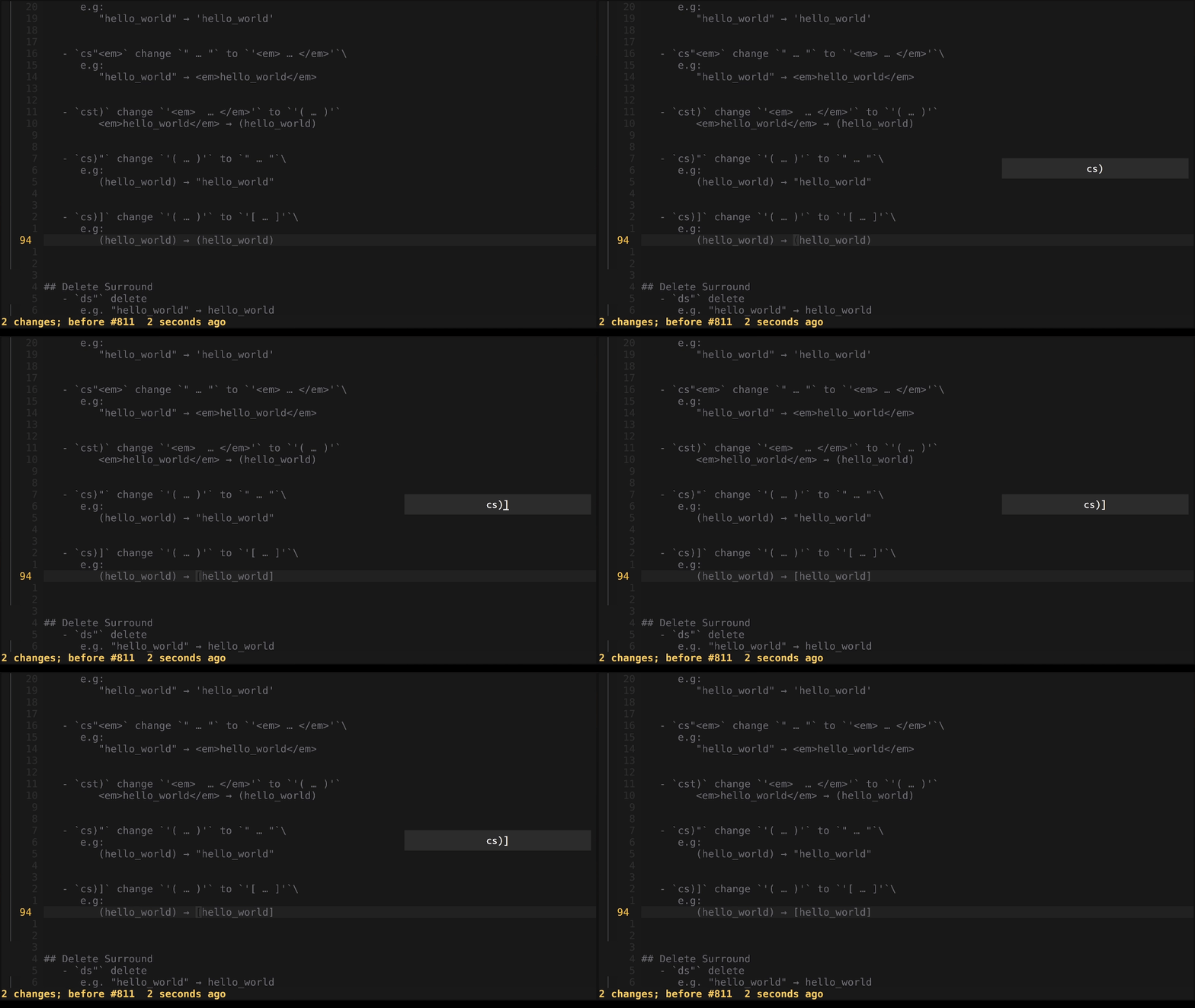
#Delete Surround
-
ds"delete sorround" … "
e.g:"hello_world"→hello_world
-
dstdelete sorround (html tag)'<em> … </em>'
e.g:'<em>hello_world</em>'→hello_world
-
ds)delete sorround'( … )'
e.g:'(hello_world)'→hello_world
-
ds)[delete'[ … ]'
e.g:'[hello_world]'→hello_world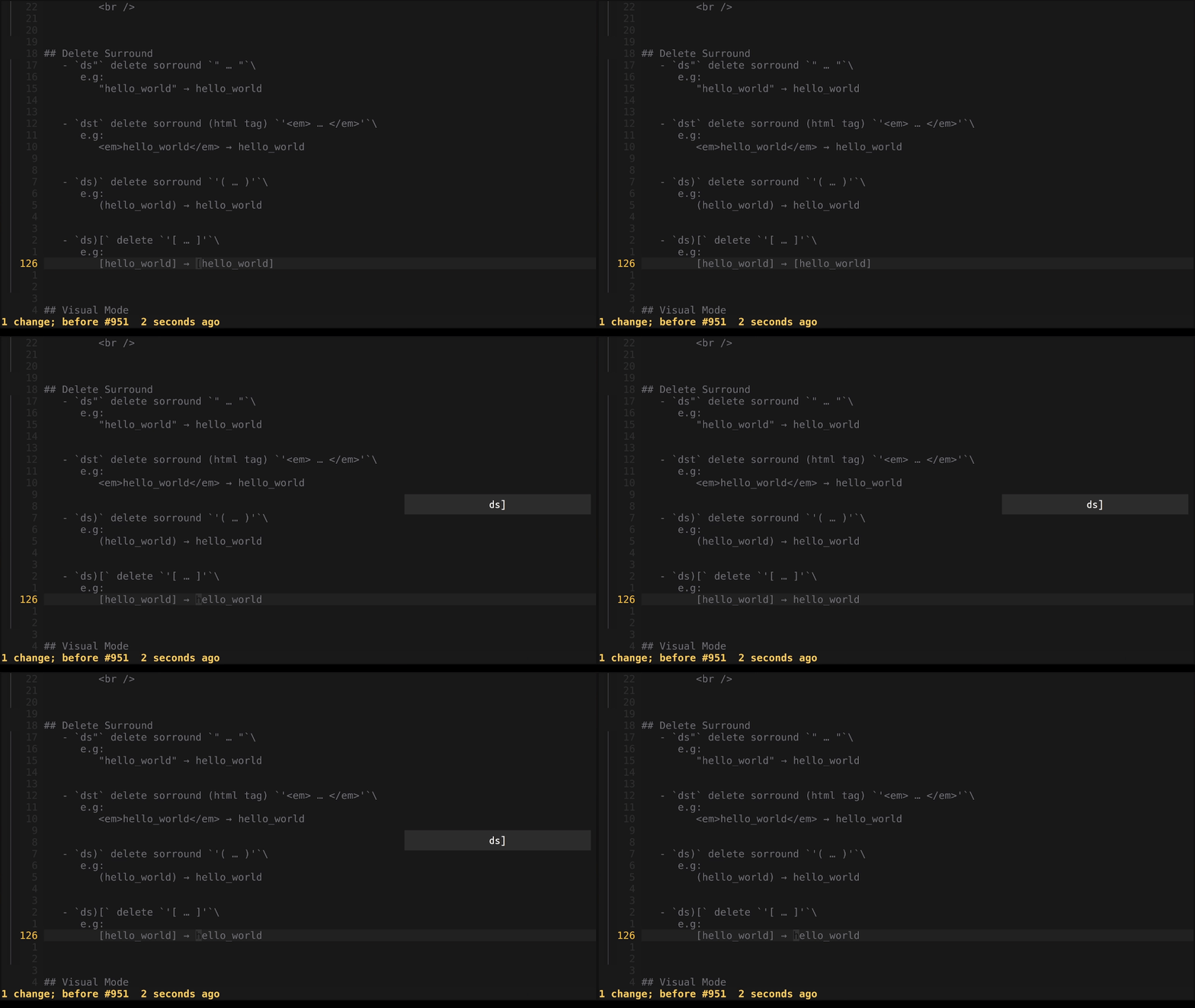
#Visual Mode
note: you can use any
vmotion you want, i usev(n)e
-
S"surround in visual cursor selection with" … "
e.g:hello world→"hello world"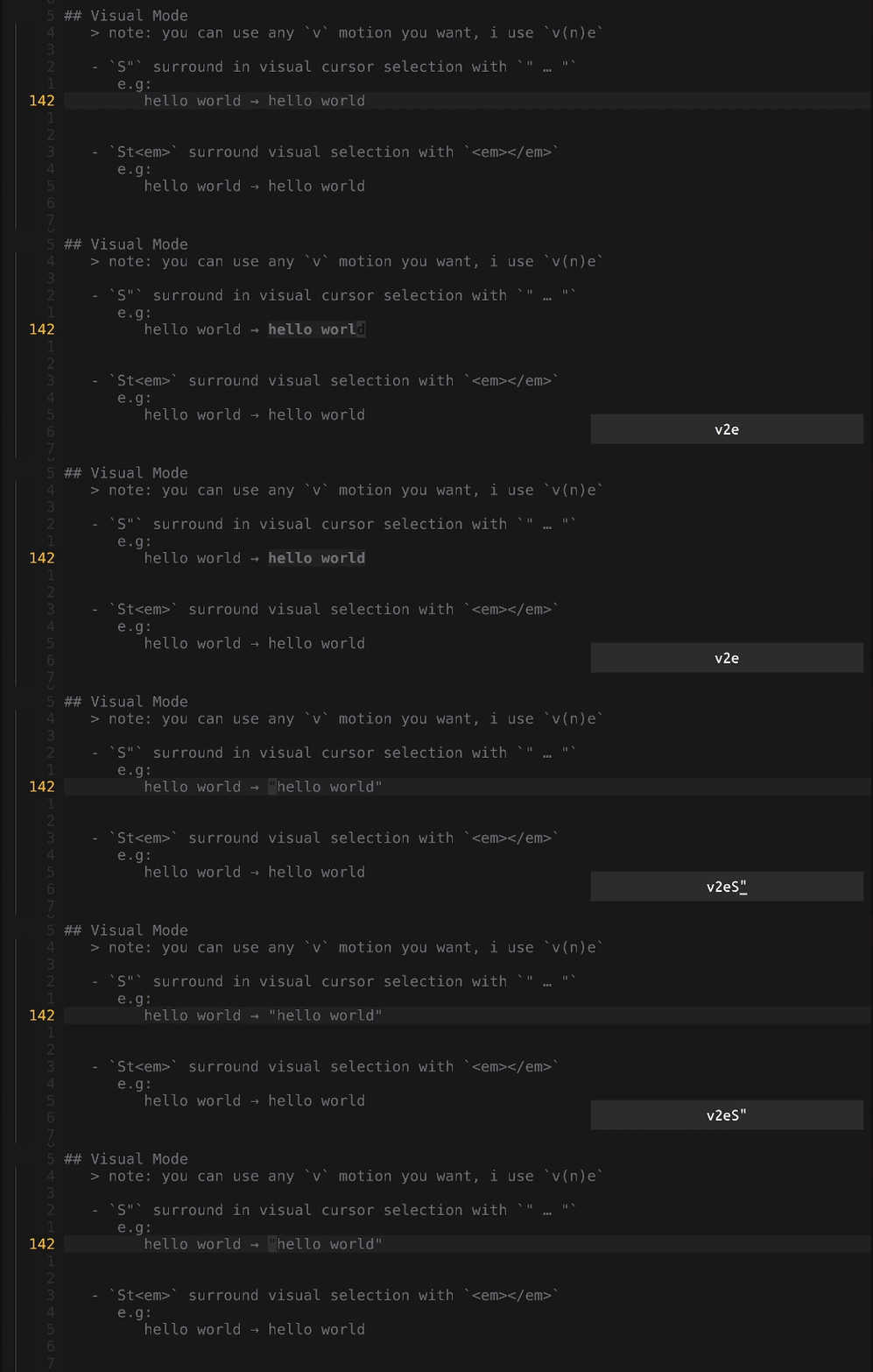
-
Stem>surround visual cursor selection with'<em> … </em>'
e.g:hello world→'<em>hello world</em>'
-
S)surround visual cursor selection with'( … )'
e.g:hello world→(hello world)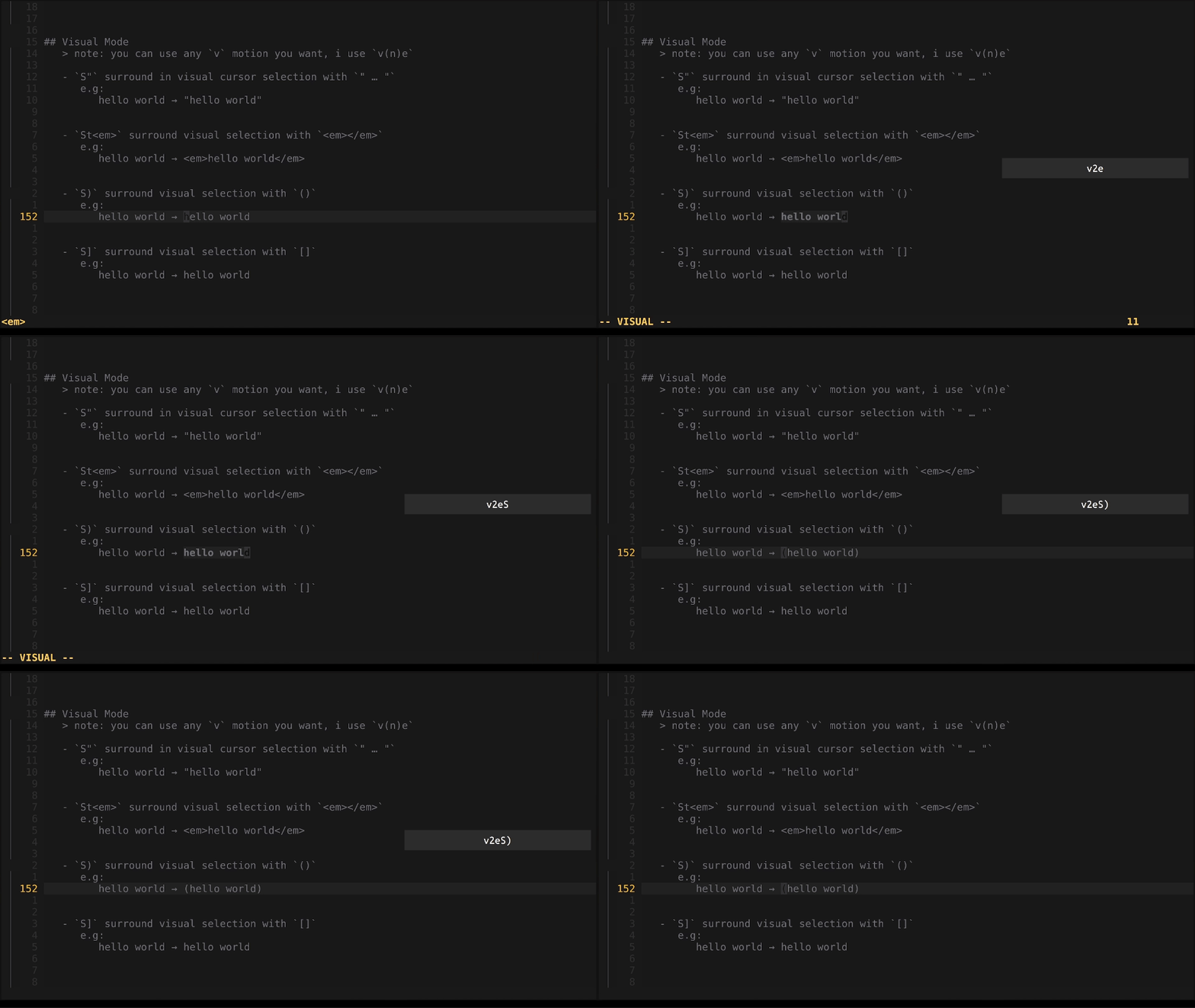
-
S]surround visual cursor selection with'[ … ]'
e.g:hello world→[hello world]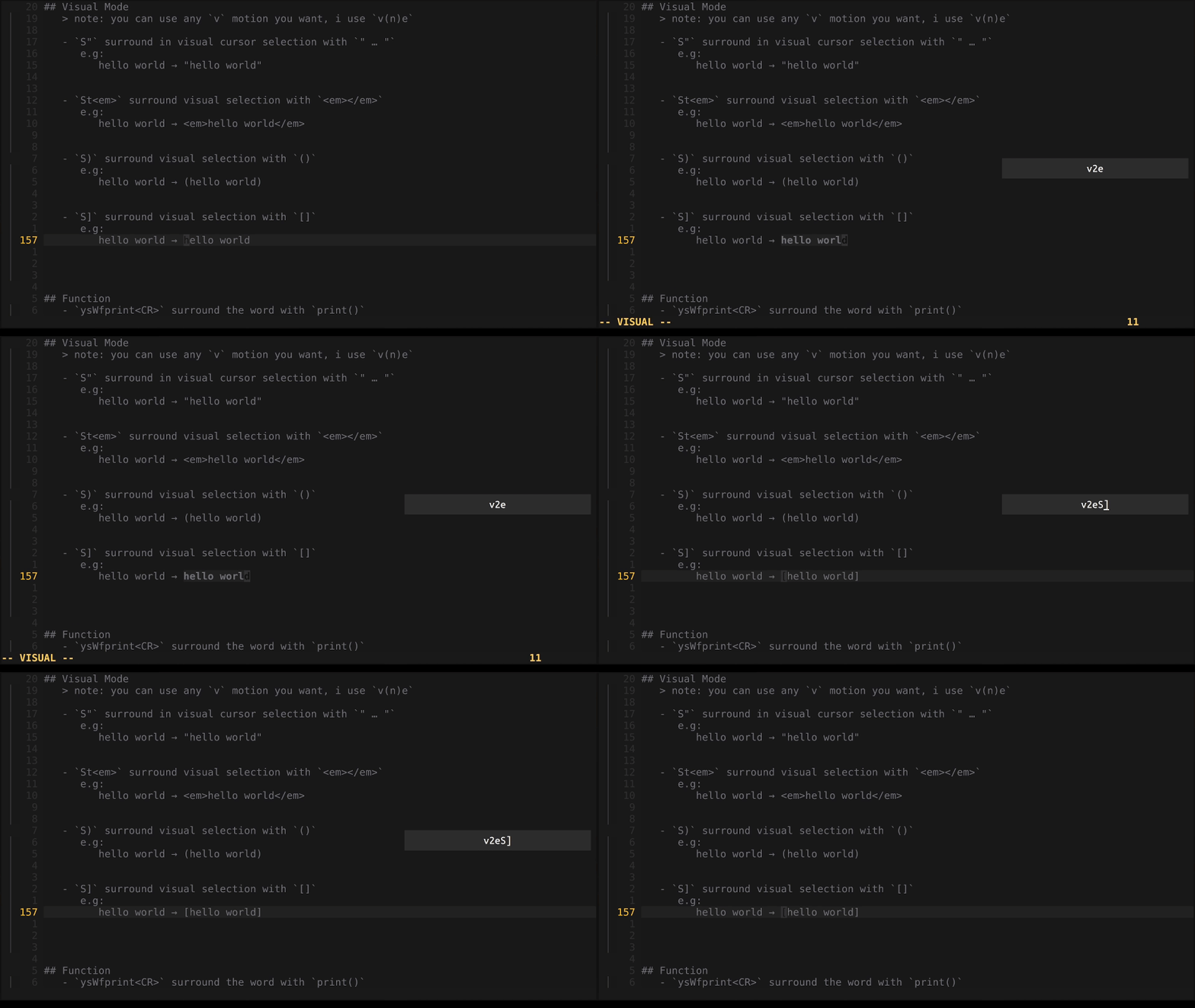
#Function
-
ysWfprint<CR>surround the word with any functionprint()
e.g: hello_world → fmt.Printf(hello_world)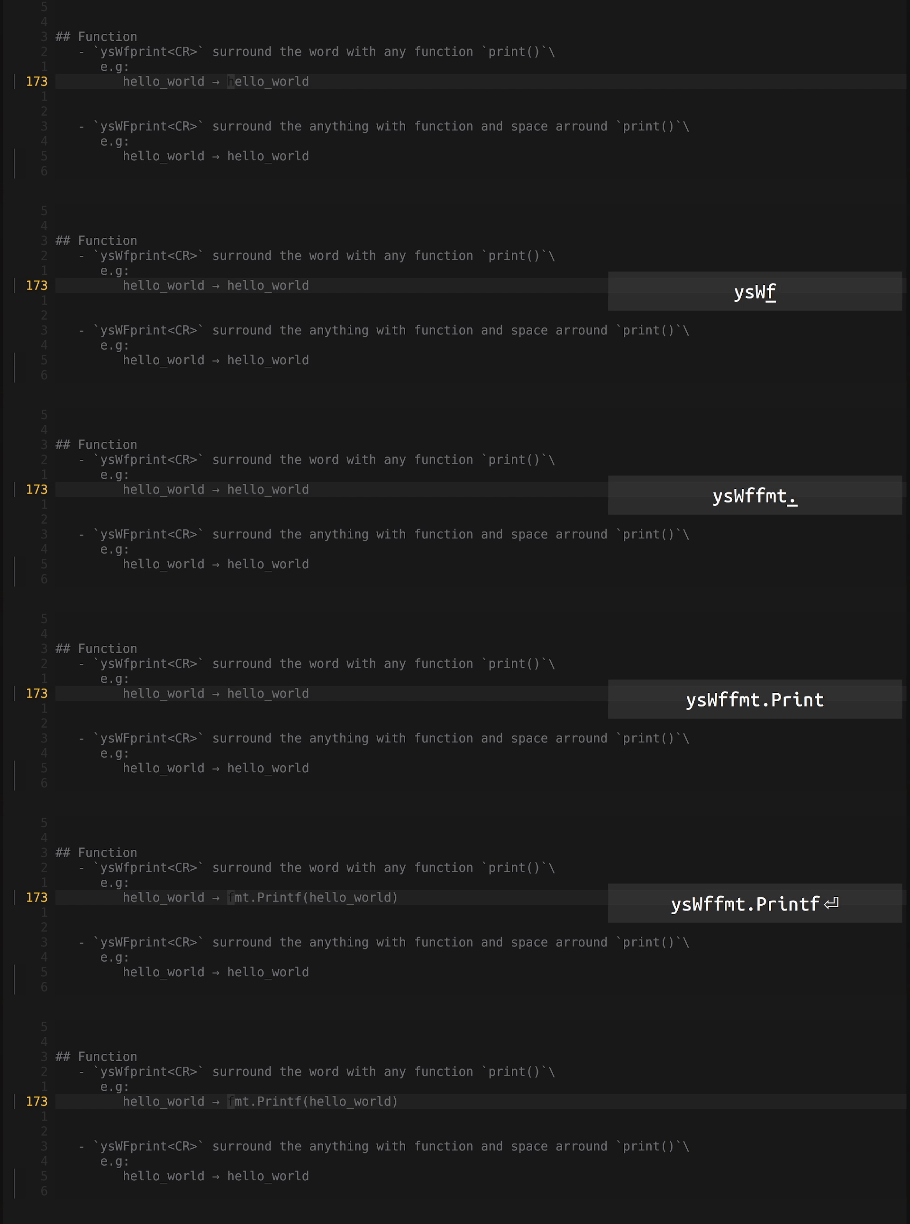
-
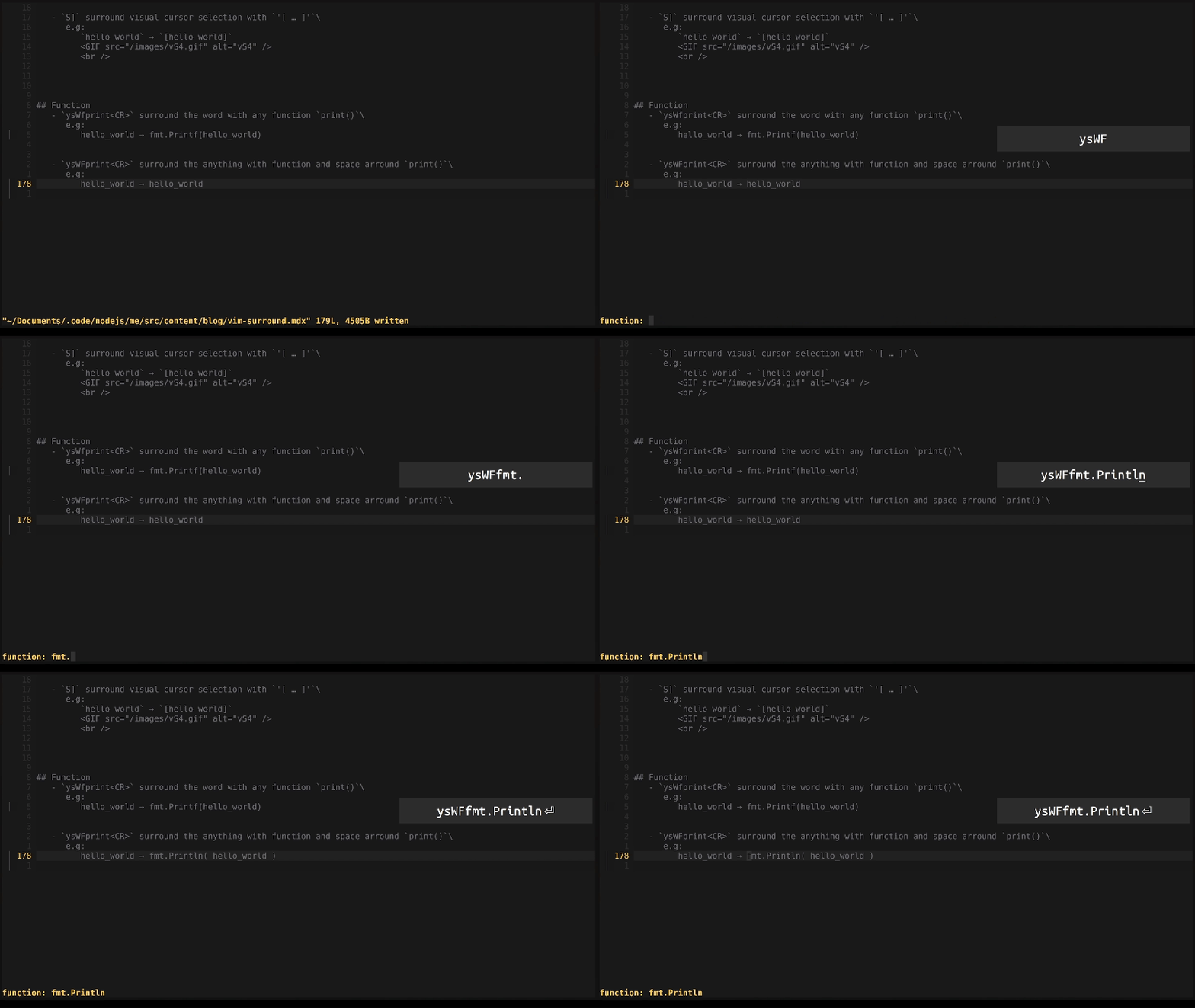
ysWFprint<CR>surround the anything with function and space arroundprint()
e.g: hello_world → fmt.Println( hello_world )